Work / Case study
Case study · My portfolio

How I built hjmiranda.com and took it from 62 to 98 on PageSpeed

My portfolio is the one project where I own every decision, so I treated it like client work: a design system first, a clean Elementor build, custom CSS and JavaScript where the builder stops, real SEO and schema, and a fast mobile score. This is how it came together.

Role

Design, development, SEO

Timeline

Oct 2026 · 3 days

Platform

WordPress · Elementor Free

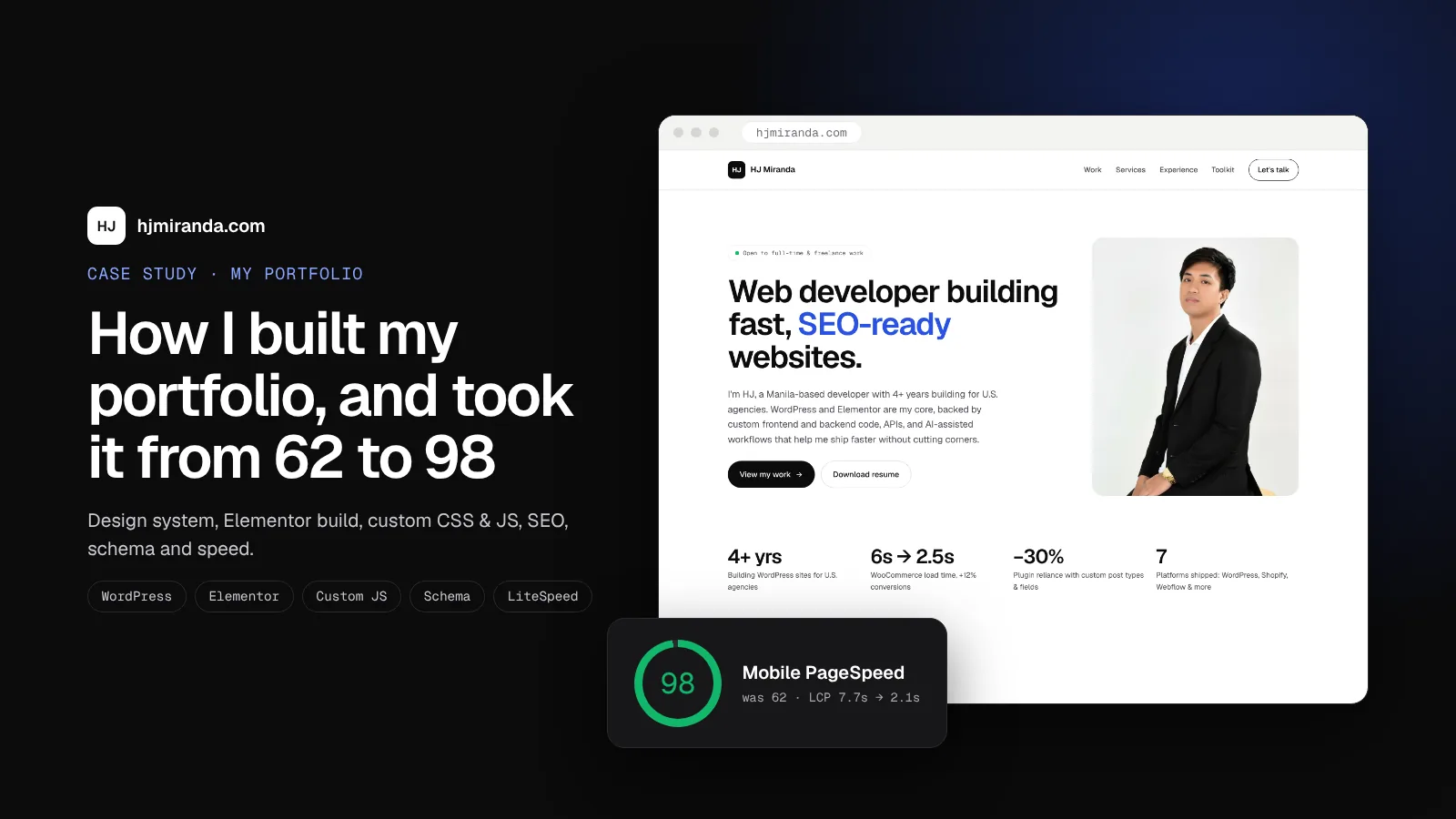
Case study cover: hjmiranda.com homepage with a mobile PageSpeed score of 98
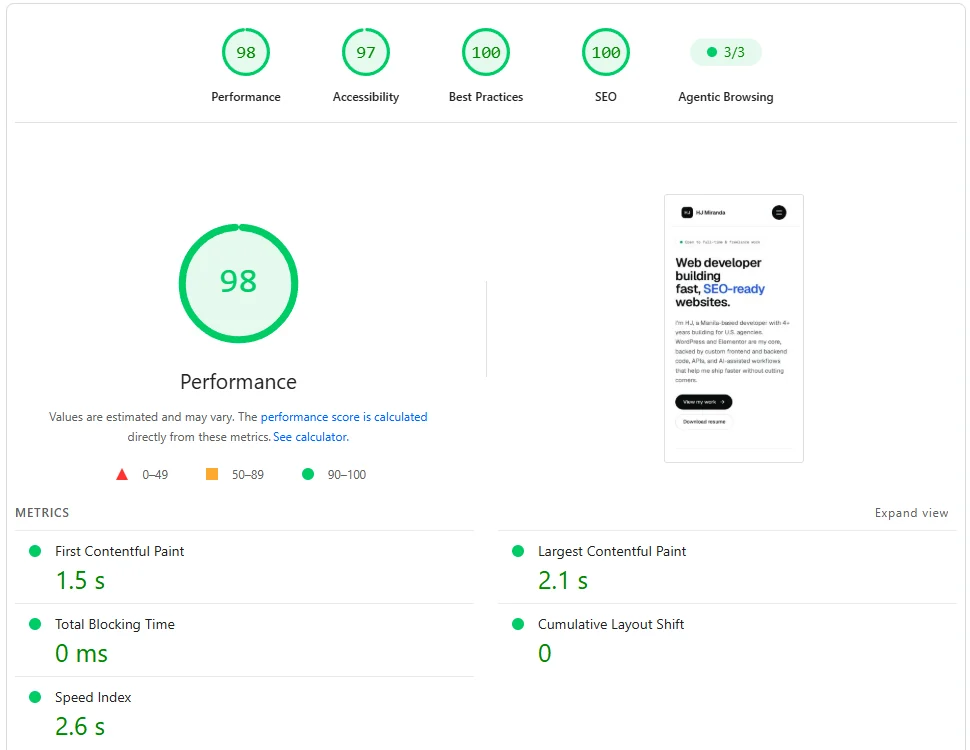
98

Mobile PageSpeed

was 62
2.1s

Largest Contentful Paint

was 7.7s
0 ms

Total Blocking Time

was 130 ms
100

SEO & Best Practices

Lighthouse
0

Schema errors

Schema.org validator
01 — The goal

A portfolio that proves the work

I tell clients I build fast, SEO-ready WordPress sites. My own site had to show that, not just say it. I set a few rules before designing anything:
  • Minimal and easy to scan. Recruiters and agency owners skim, so the work and contact details come first.
  • Elementor Free on a Hello child theme. The same stack many of my clients use, with code where the builder isn’t enough.
  • Honest content. My current healthcare work is under NDA, so it’s described, not shown. Things I’m still learning are labeled “Learning now.”
  • Measured, not guessed. PageSpeed, the Schema.org validator and Lighthouse decide when it’s done.
WordPress
Elementor Free
Hello Elementor child
Custom CSS
Vanilla JS
Yoast SEO
Schema (JSON-LD)
Contact Form 7
Cloudflare Turnstile
LiteSpeed Cache
Tidio Lyro
02 — Design

Three directions, one system

I explored three directions before writing any code: a refined black-and-white layout, a dark “Midnight & Lime” look, and a minimal device-style design. I picked the first one. It reads as calm and trustworthy, and it keeps the projects in focus. The first version used red as the accent, but red read like an error message, so I switched to cobalt.
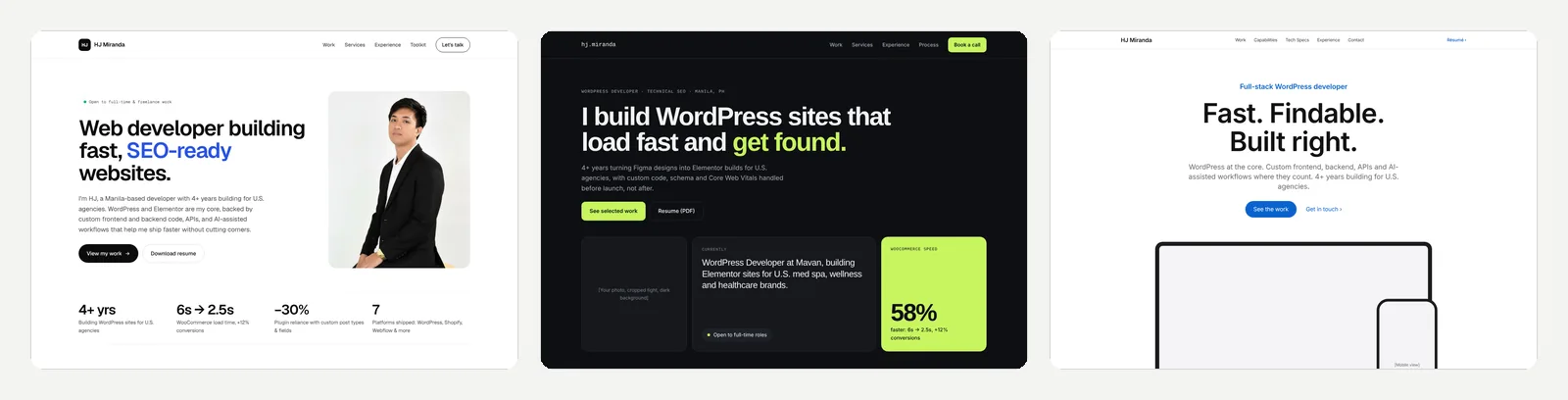
Three homepage design directions: refined classic, Midnight and Lime, and System

The three directions. Left: Refined classic (chosen). Middle: Midnight & Lime. Right: System.

The design system

Everything uses 15 colors and 14 text styles, set up as Elementor global colors and fonts with the same names. Geist handles all text and Geist Mono the small labels. Headings scale with clamp(), while body text, buttons and labels use rem. Every text color passes the 4.5:1 contrast ratio.
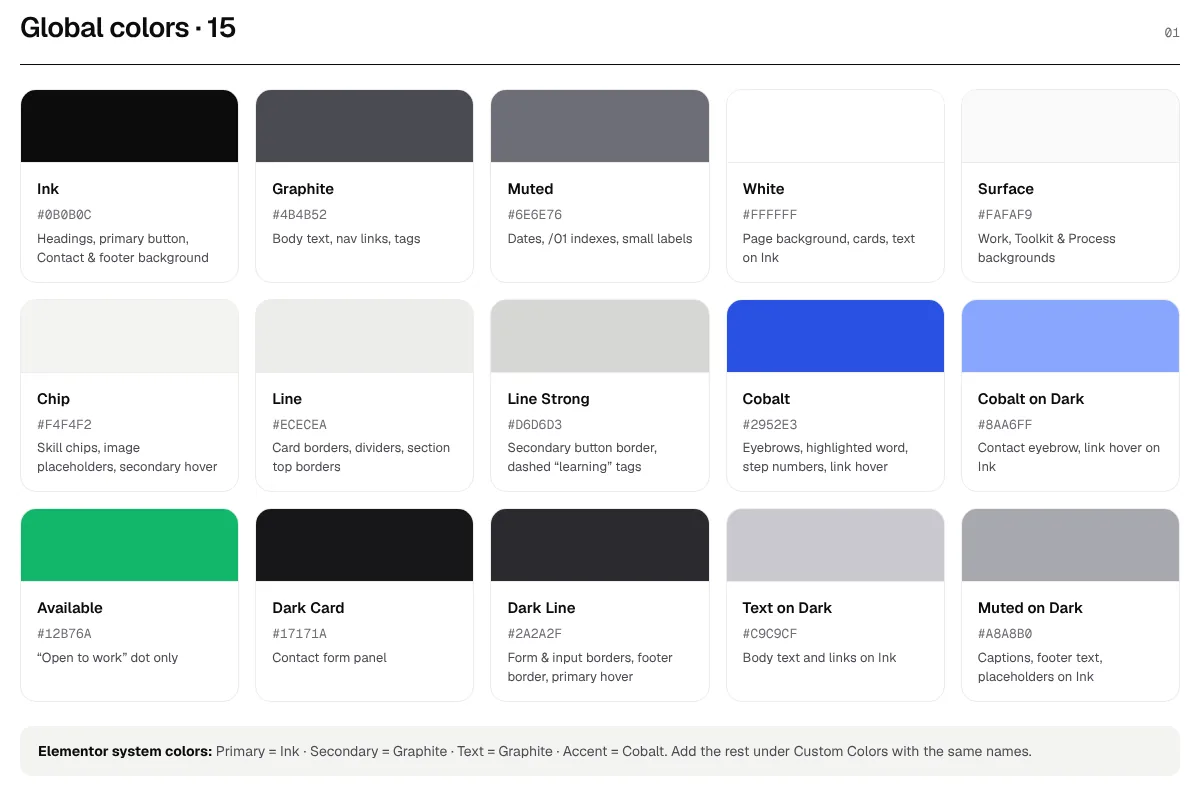
Color palette with 15 named colors and hex codes

15 named colors, from Ink #0B0B0C to Cobalt #2952E3.
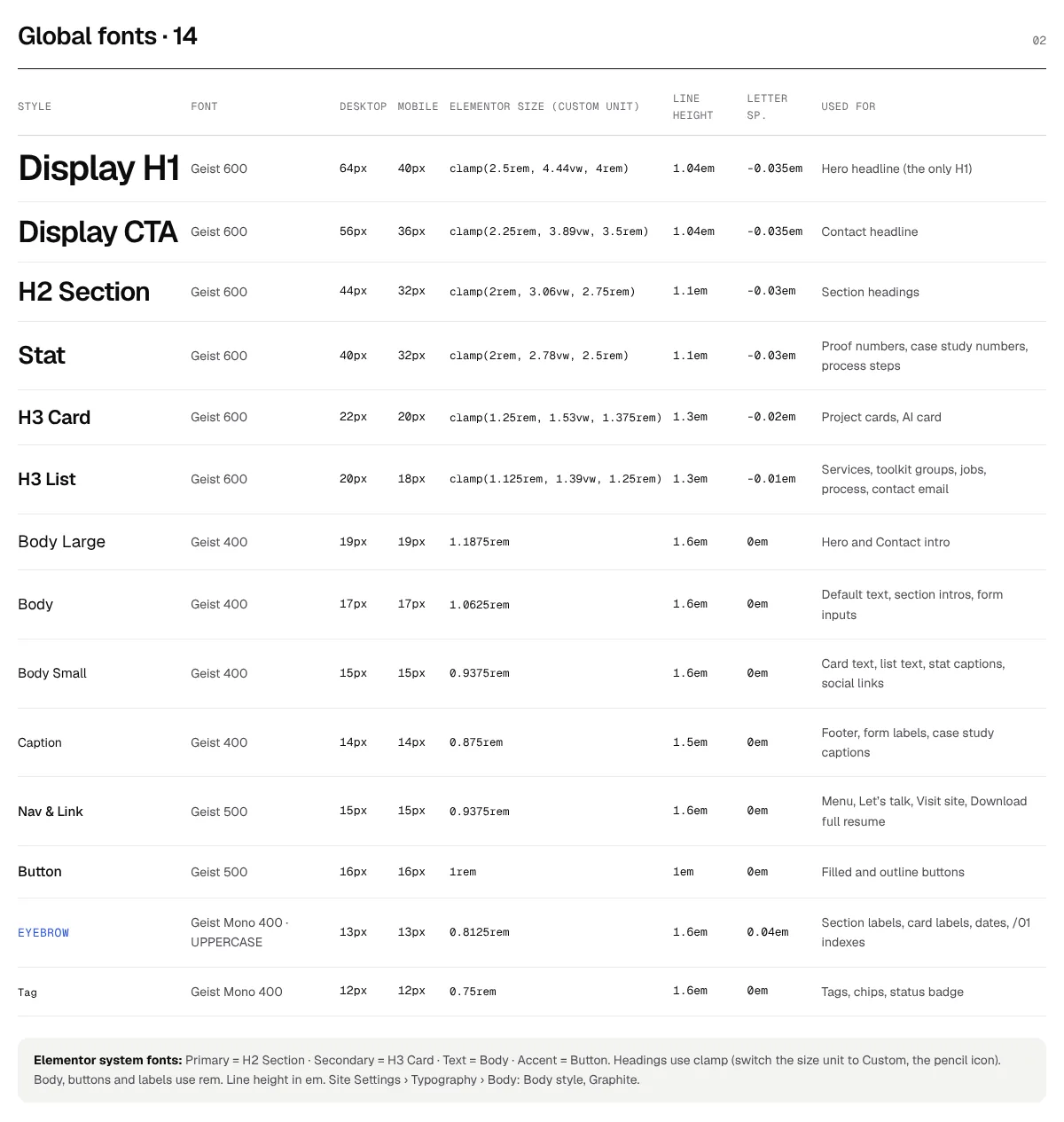
Type scale with text styles, sizes and clamp values

14 text styles with desktop and mobile sizes.
A build spec, not just a mockup

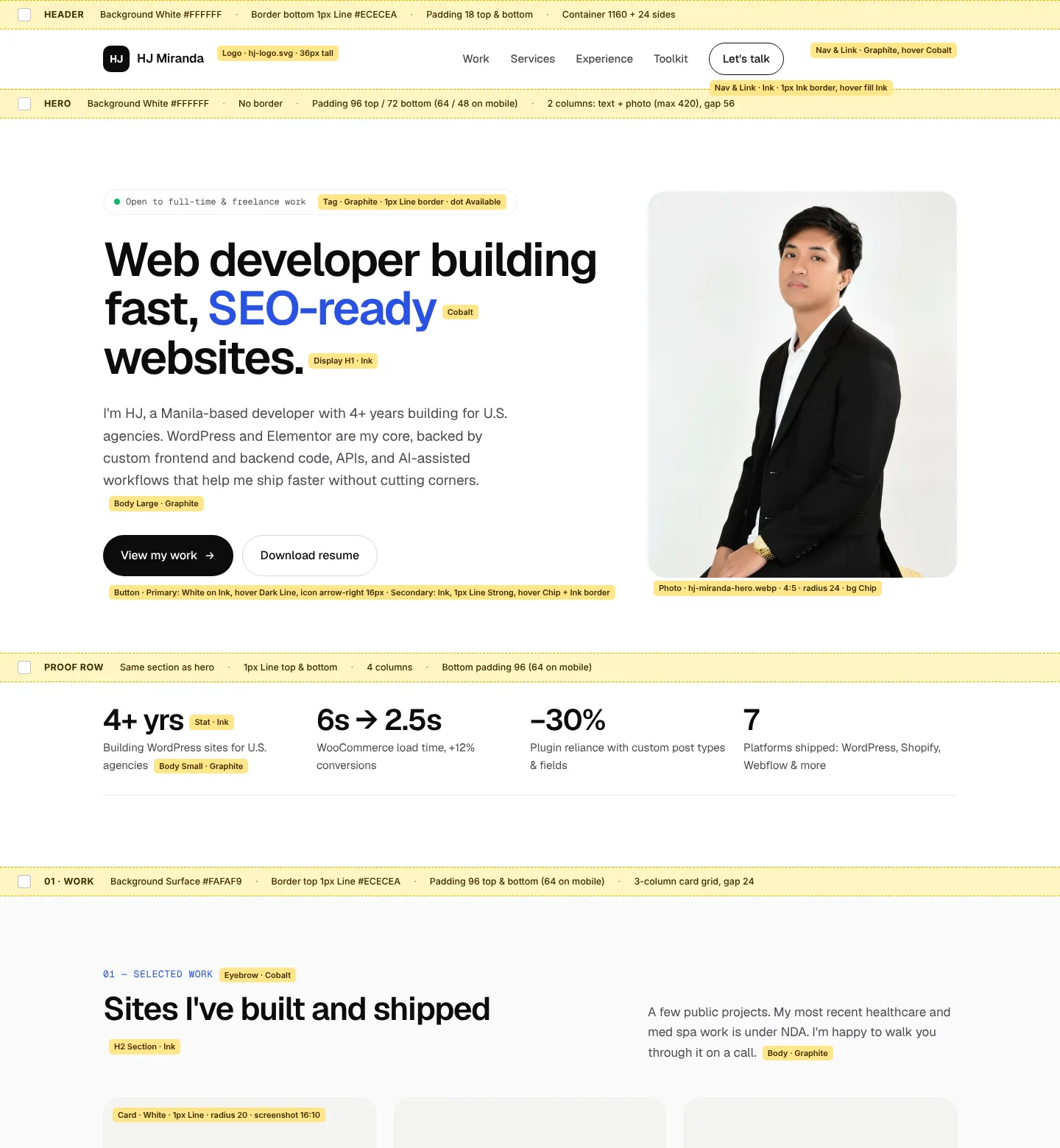
Before building, I made a labeled version of the homepage. Every text element shows its style and color, and every section shows its background, border and padding. Building in Elementor became a matter of matching labels, not eyeballing.
Homepage design with yellow labels naming the style and color of each text element

The build spec: yellow tags name the global style, and striped bars give each section’s background and spacing.

03 — Build

Elementor for layout, code for the rest

Elementor handles the layout with containers and global styles. Everything else lives in a Hello Elementor child theme that I wrote and organized myself.

  • Self-hosted fonts. Geist files in the theme, registered in Elementor’s font list with a PHP filter, with the two main weights preloaded. No Google Fonts request.
  • One organized stylesheet. Ten labeled sections, color tokens as CSS variables, and every media query in one place at the bottom.
  • One small JavaScript file, no libraries. No jQuery or GSAP in my code. It handles the sticky header, scroll reveal, mobile menu state, Work page filters with automatic counts, and anchor links that stop below the fixed header.
// functions.php · show self-hosted fonts in Elementor
add_filter( 'elementor/fonts/additional_fonts',
  function ( $fonts ) {
    $fonts['Geist']      = 'system';
    $fonts['Geist Mono'] = 'system';
    return $fonts;
  } );
// main.js · Work page filters
cards.forEach(function (card) {
  var show = key === "all" ||
    card.classList.contains("cat-" + key);
  card.style.display = show ? "" : "none";
});
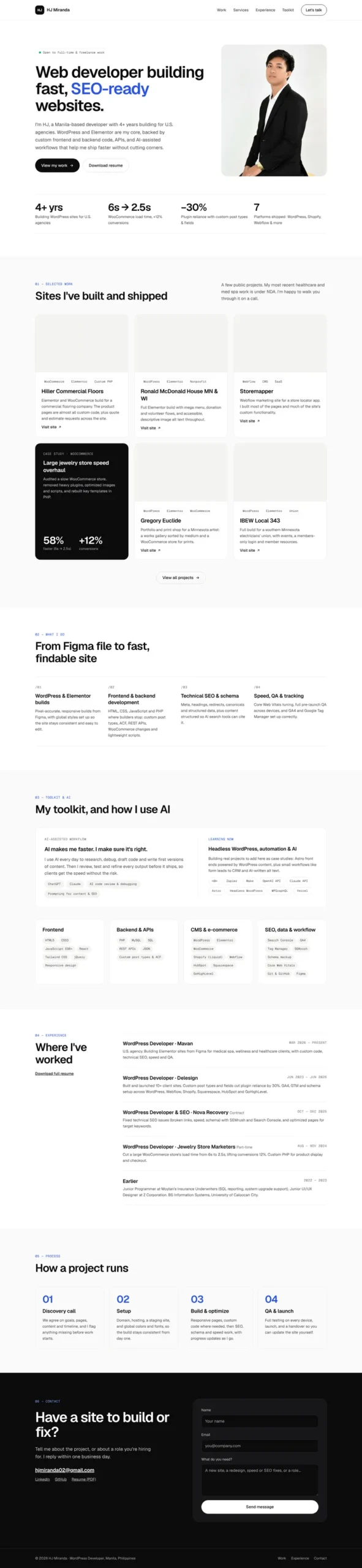
Final homepage design for hjmiranda.com

The homepage design (top section shown).
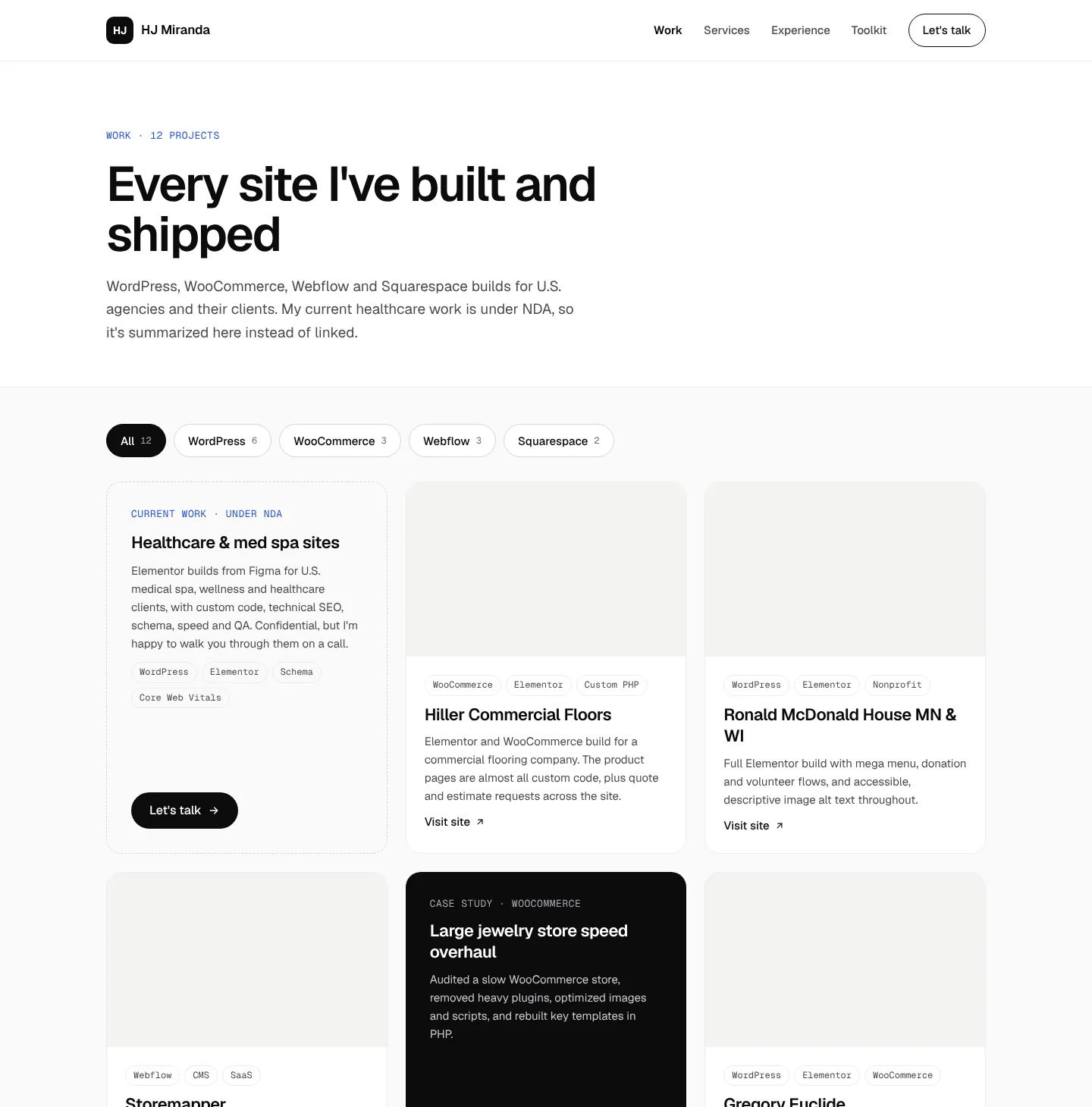
Work page design with filter buttons and project cards

The Work page: 12 projects with platform filters. My NDA work is summarized, not linked.

Problems I had to solve

One missing function stopped every script

A leftover initBackToTop() call from an older theme threw a ReferenceError, so the filters and everything after it never ran. I found it in the Console, removed it and moved every feature into one init block.

Turnstile landed outside the form

Contact Form 7 inserts the Cloudflare widget at the top of the form. I made the whole form the dark panel, set the inner wrapper to display: contents and used flex order to place it right above the button.

Three menu links looked active at once

WordPress marks every /#section link as "current" on the homepage. A small CSS rule resets the active color for hash links only, so "Work" still highlights on the Work page.

The tablet menu fought itself

Desktop menu rules started at 768px while the mobile menu ran up to 1024px, so tablets got both. Moving the desktop breakpoint to 1025px fixed it.

04 — SEO & schema

Built to be found and understood

On-page SEO

  • A unique title and meta description for every page in Yoast, sized to avoid truncation
  • Site name “HJ Miranda” and Yoast set to represent a Person
  • One H1 per page and a clean H2 → H3 order
  • Descriptive alt text on every image
  • A 1200 × 630 social image, and the sitemap submitted to Search Console

Structured data

  • Homepage: ProfilePage with a Person (role, skills, contact, LinkedIn and GitHub)
  • Work page: an ItemList of 10 public projects, each linked back to the same Person
  • Added as PHP snippets that check the page in code, because the free snippet plugin has no page conditions
  • Validated with 0 errors and 0 warnings
// Homepage schema (excerpt)
{
  "@type": "ProfilePage",
  "mainEntity": {
    "@type": "Person",
    "name": "HJ Miranda",
    "jobTitle": "WordPress Developer",
    "knowsAbout": [
      "WordPress", "Elementor", "WooCommerce",
      "Technical SEO", "Schema markup"
    ]
  }
}

Schema.org validator showing 0 errors and 0 warnings for the homepage

Schema.org validator result for the homepage.
05 — Performance

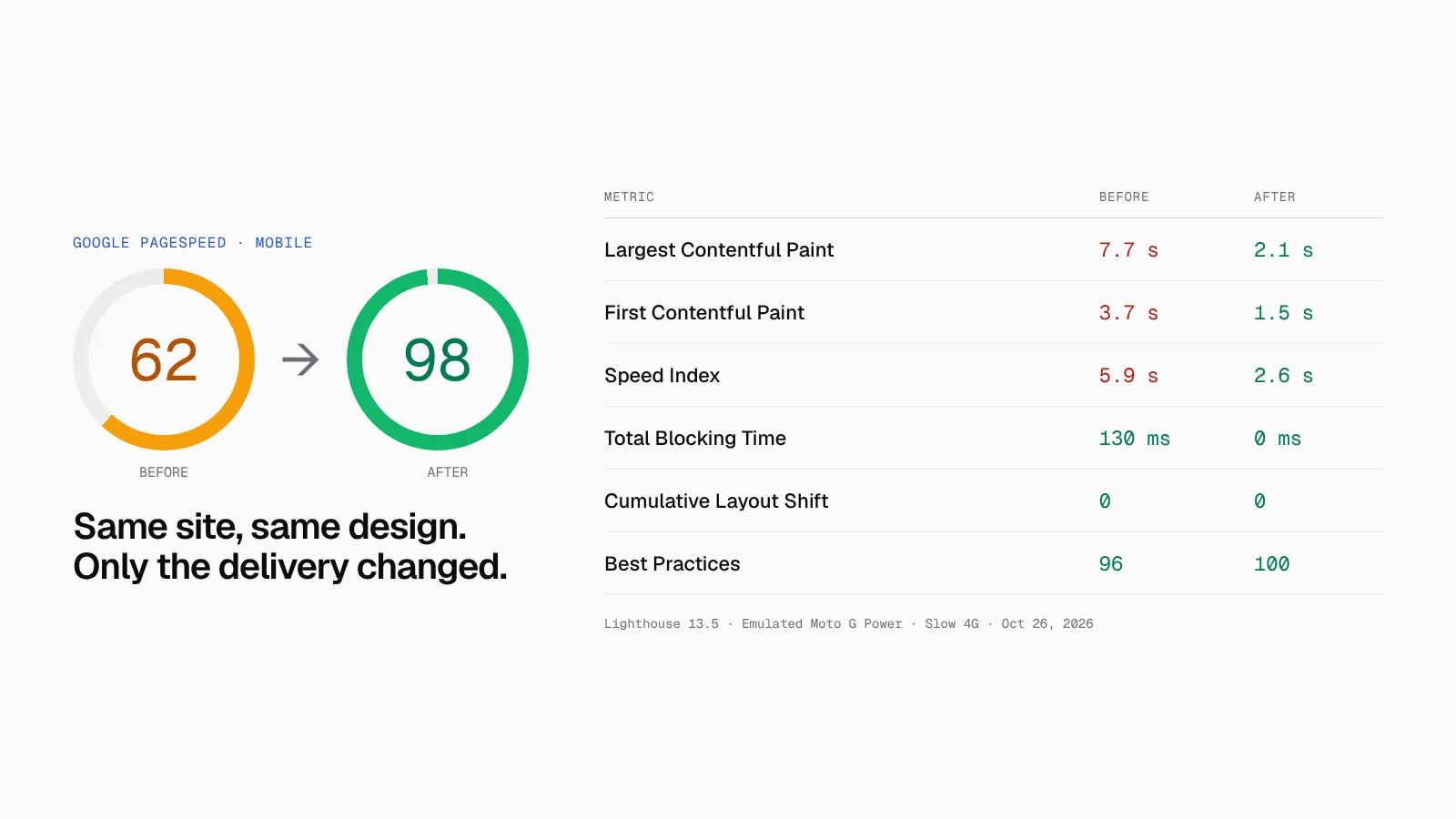
62 → 98 without changing the design

The first mobile test scored 62. The filmstrip showed a white screen for about three and a half seconds. My own CSS and JavaScript were small. The problem was around 30 CSS and JavaScript files from Elementor, a menu add-on and jQuery, all blocking the first paint, plus third-party scripts.
  • LiteSpeed Cache: minified and combined CSS, loaded CSS asynchronously with generated critical CSS, deferred JavaScript, turned on Guest Mode
  • Images: above-the-fold images are never lazy-loaded, and the hero photo is excluded and served as an 18 KB WebP
  • Fewer requests: removed Google Fonts and WordPress emoji scripts
  • My code: fixed a forced reflow in main.js by deferring the header’s first scroll check to the next frame
PageSpeed mobile score rising from 62 to 98 with metric comparison

Same page, same design. LCP went from 7.7 s to 2.1 s, and Total Blocking Time dropped to 0 ms.
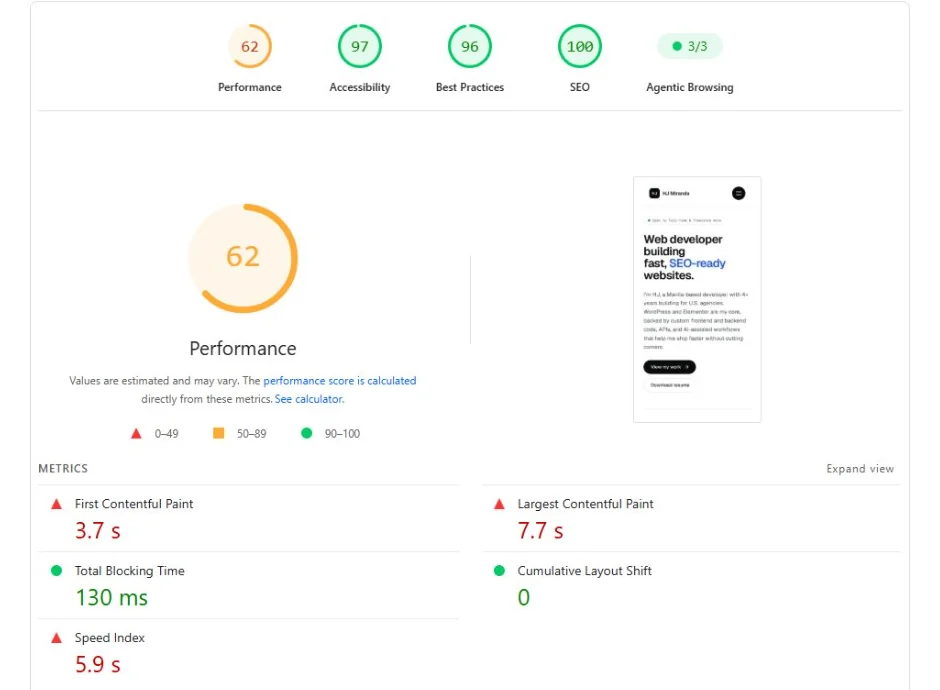
PageSpeed Insights mobile report before optimization: Performance 62

Before: Performance 62.

PageSpeed Insights mobile report after optimization: Performance 98

After: Performance 98, Best Practices 100, SEO 100.

06 — Contact & AI chat

Easy to reach, hard to spam

Contact form

Contact Form 7, restyled to match the dark design, with Cloudflare Turnstile to block bots without a puzzle. Every message emails me with Reply-To set to the sender. WhatsApp and Viber links sit next to the email for clients who prefer chat.

AI chat assistant

A Tidio Lyro assistant answers questions about my services and projects. It’s trained only on my site and a short FAQ, and told never to quote rates or name current clients. Anything it can’t answer becomes an email to me.
07 — How I worked

AI as a pair, me as the reviewer

I used Claude as a pair throughout: to explore design directions, draft code, and review my CSS and JavaScript. I made the decisions, built everything in Elementor, and tested every change on the live site, including the bugs it didn’t catch, like the crashed script and the tablet menu clash. That’s the same workflow I bring to client projects: faster, but checked.

What I'd do next

  • Rebuild the same site as headless WordPress with Astro, and compare speed and editing side by side
  • Route form and chat inquiries through an n8n workflow into a simple lead tracker
NEXT PROJECT

Have a site to build or fix?

Tell me about the project, or about a role you’re hiring for. I reply within one business day.